In this section, you can find a Python script that can be used to evaluate the CalculiX job convergence for non-linear analysis.
It dynamically reads all the information from jobName.cvg and jobName.sta and displays them in an X-Y chart.
This is a slightly modified version of the original Martin Kraska script.
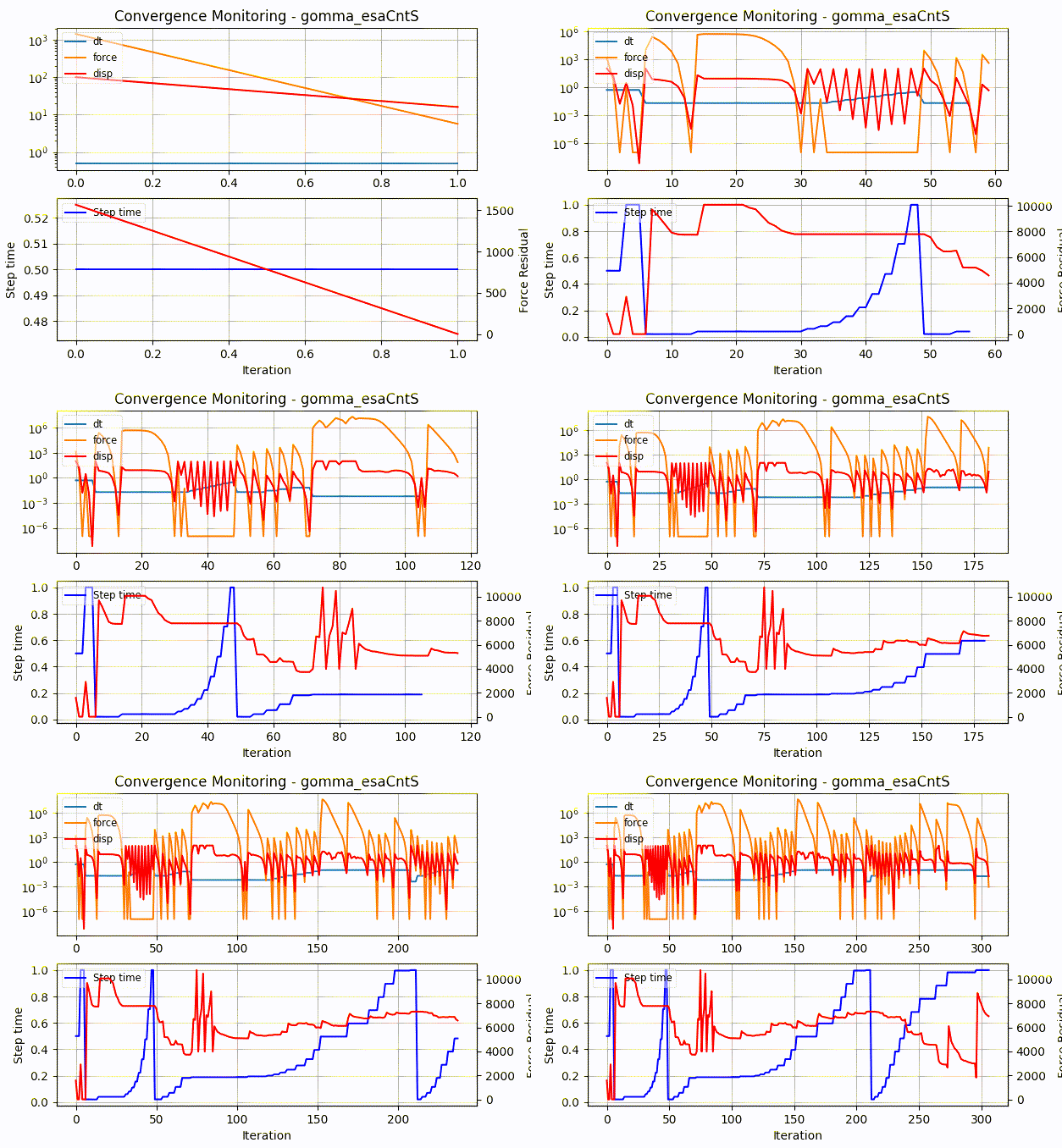
The complete source code is provided below, enjoy!
Place it in a reachable executable folder, such as /usr/local/bin.
Then, if there is only one run in the CalculiX working directory, just type monitor.py in the terminal. If there are multiple runs, specify the CalculiX model you want to monitor, like this: monitor.py myRun .
bash
monitor.py
or
monitor.py myRun
monitor.py
#!/usr/bin/python
"""
This is a monitor for .sta and .cvg files of calculix
"""

import sys
import pylab
import numpy as np
import glob
import time

if len(sys.argv) == 1:
	print("No jobname given.")
	files = glob.glob("*.sta")
	if len(files) == 1:
		print("Found", files[0])
		job = files[0][:-4]
	else:
		print("Available .sta files:")
		for f in files:
			print("  ", f)
		quit()
else:
	print("Jobname:", sys.argv[1])
	job = sys.argv[1]

pylab.ion()

while True:
	try:
		sta = np.genfromtxt(job + '.sta', skip_header=2, delimiter=[6, 11, 7, 6, 14, 14, 14])
	except:
		sta = np.array([[1., 1., 1., 0, 0, 0, 0]])

	cvg = np.genfromtxt(job + '.cvg', skip_header=4)
	if sta.ndim == 1:
		sta = sta[np.newaxis, :]

	iters = cvg.shape[0]
	it = range(iters)
	itinc = cvg.astype(int)[:, 1]
	itstep = cvg.astype(int)[:, 0]
	itdt = np.empty([iters])
	itsteptime = np.empty([iters])

	for i in it:
		stp = itstep[i]
		inc = itinc[i]
		if cvg[i, 5] == 0.0:
			cvg[i, 5] = 1.e-7

		found = 0
		for j in range(sta.shape[0]):
			if stp == int(sta[j, 0]) and inc == int(sta[j, 1]):
				itdt[i] = sta[j, 6]
				itsteptime[i] = sta[j, 5]
				istamax = i
				icvgmax = i
				found = 1
		if not found:
			icvgmax = i

	pylab.clf()
	pylab.subplot(2, 1, 1)
	pylab.title('Convergence Monitoring - ' + job)
	pylab.semilogy(it[:istamax], itdt[:istamax], '-',
				it[:icvgmax], cvg[:icvgmax, 5], '-',
				it[:icvgmax], cvg[:icvgmax, 6], 'r-')
	pylab.ylabel('Force Residuals')

	pylab.grid()
	pylab.legend(['dt', 'force', 'disp'], fontsize='small', framealpha=0.5, loc=2)

	sp1 = pylab.subplot(2, 1, 2)
	pylab.plot(it[:istamax], itsteptime[:istamax], 'b-')
	pylab.legend(['Step time'], fontsize='small', framealpha=0.5, loc=2)
	pylab.ylabel('Step time')
	pylab.xlabel('Iteration')
	pylab.grid()

	sp2 = sp1.twinx()
	pylab.plot(it[:icvgmax], cvg[:icvgmax, 4], 'r-')
	pylab.ylabel('Contact El.')

	pylab.pause(2)

pylab.ioff()
pylab.show()